Introduction
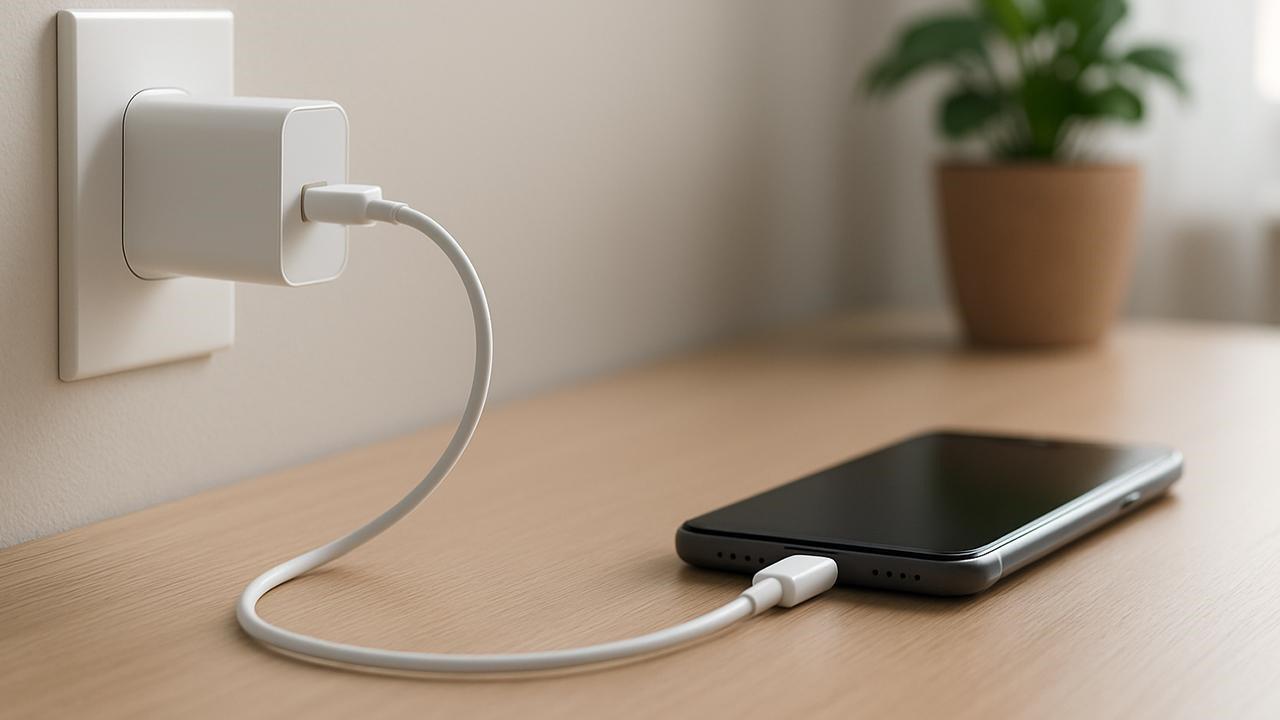
USB-C Charging Myths can make it difficult to understand which chargers, cables, and charging habits are actually safe. USB-C has become a common connection for smartphones, tablets, laptops, headphones, gaming devices, and other electronics. Its reversible connector and support for different power levels make charging more convenient, but they have also created confusion.
Some people believe that every USB-C cable charges at the same speed. Others think a high-wattage charger will damage a phone, or that every USB-C port supports fast charging. In reality, charging performance depends on the device, charger, cable, supported charging protocols, and the condition of the equipment8 Powerful USB-C Charging Myths: Facts & Hidden Risks.
The USB Implementers Forum (USB-IF) explains that USB-C is a connector standard, while USB Power Delivery is a separate technology for negotiating power between compatible devices. USB-C products can support different charging and data capabilities. USB-IF official guidance
Understanding these eight powerful USB-C Charging Myths can help you choose suitable accessories, avoid unnecessary purchases, and reduce the risk of using poor-quality charging equipment.

Table of Contents
- Myth: Every USB-C Cable Charges at the Same Speed
- Myth: A Higher-Wattage Charger Always Damages Your Phone
- Myth: Every USB-C Port Supports Fast Charging
- Myth: USB-C Cables Only Differ in Length
- Myth: Fast Charging Always Damages Battery Health
- Myth: Any Cheap USB-C Charger Is Safe
- Myth: You Must Use the Original Brand Charger
- Myth: USB-C Means Universal Compatibility
- USB-C Charging Facts at a Glance
- Tips for Safer Charging
- Frequently Asked Questions
1. Myth: Every USB-C Cable Charges at the Same Speed
One of the most common USB-C Charging Myths is that all cables with a USB-C connector deliver the same charging performance 8 Powerful USB-C Charging Myths: Facts & Hidden Risks.
Although two cables may look identical, their electrical capabilities can differ. Some support lower power levels, while others are designed for higher-power charging. Cable quality and the supported charging protocol also affect performance.
What Is the Real Fact?
The charger, cable, and device must work together to deliver the power required for fast charging. A phone that supports a particular fast-charging standard may charge more slowly when connected to an incompatible adapter or cable.
USB Power Delivery supports different power levels, and USB-C cables have specific capabilities. Certified USB-C cables may carry markings that identify their supported power rating. USB-IF provides guidance on USB-C cable power ratings.
Before buying a cable, check its power rating and whether it supports the charging requirements of your device. For a laptop, a cable designed for higher power may be necessary, while a basic cable may be sufficient for some phones.
Choosing the right cable can improve charging performance and prevent compatibility problems 8 Powerful USB-C Charging Myths: Facts & Hidden Risks.
2. Myth: A Higher-Wattage Charger Always Damages Your Phone
Some users avoid powerful chargers because they believe a charger rated for 65 watts or 100 watts will automatically force that amount of power into a phone.
This is not generally how compatible USB Power Delivery charging works. A charger’s wattage rating indicates its maximum supported output under suitable conditions, not the amount of power it constantly sends to every connected device.

How Charging Power Works
With compatible USB Power Delivery equipment, the charger and device negotiate an appropriate power level. A phone that supports a lower power level will not normally draw the charger’s full advertised maximum simply because it is connected to a more powerful adapter 8 Powerful USB-C Charging Myths: Facts & Hidden Risks.
However, this does not mean every high-wattage charger is suitable for every device. Compatibility, charging protocols, product quality, and safety standards still matter 8 Powerful USB-C Charging Myths: Facts & Hidden Risks.
Apple, for example, states that compatible Apple devices can be charged using suitable Apple USB power adapters or third-party adapters that comply with applicable safety standards. Apple’s USB power adapter guidance
The important lesson is to select a reputable, compatible charger rather than judging safety by wattage alone.
3. Myth: Every USB-C Port Supports Fast Charging
USB-C connectors are increasingly common, but their appearance does not guarantee identical capabilities.
A USB-C port might support basic charging, higher-power charging, data transfer, video output, or a combination of these features. Manufacturers can implement different capabilities depending on the device’s design 8 Powerful USB-C Charging Myths: Facts & Hidden Risks.
Why Port Specifications Matter
Some laptops have USB-C ports that support charging, while others may provide limited charging functionality or require a specific port for power input. Similarly, a phone may support fast charging through USB-C but still require a compatible charger and protocol.
USB-C is not automatically the same thing as USB Power Delivery, USB 3.2, or USB4. These are distinct technologies with different functions. USB-IF’s USB-C guidance
Before using a port for charging, check the device manual or official specifications. This simple step can prevent confusion when a cable fits physically but does not provide the expected charging speed.
4. Myth: USB-C Cables Only Differ in Length
Cable length is easy to notice, but it is not the only factor that affects performance 8 Powerful USB-C Charging Myths: Facts & Hidden Risks.
USB-C cables can differ in supported power, data-transfer speed, construction, and additional features. Some are designed primarily for charging, while others support high-speed data transfer and other functions.
Charging and Data Are Different Capabilities
A cable may provide adequate charging power but support only basic data transfer. Another cable may support advanced data features but still need to meet the power requirements of a particular laptop or device 8 Powerful USB-C Charging Myths: Facts & Hidden Risks.
This is why buying a cable based only on its appearance can lead to disappointment. If you need a cable for a laptop, external storage, or a high-resolution display, review the specifications for both charging and data capabilities.
Look for clear manufacturer information and appropriate certification where available. USB-IF’s cable and connector information explains that cables are designed and certified for different purposes.
Paying attention to specifications can help you avoid buying a cable that works for charging but fails to meet your other needs.
5. Myth: Fast Charging Always Damages Battery Health
Fast charging is often blamed for battery problems, but the relationship is more complicated than this claim suggests 8 Powerful USB-C Charging Myths: Facts & Hidden Risks.
Modern devices use battery-management systems to regulate charging. Depending on the device, these systems can adjust power, monitor temperature, and reduce charging speed as the battery approaches full capacity.
What Actually Affects Battery Health?
Battery ageing is influenced by several factors, including temperature, charging patterns, battery chemistry, and the length of time a battery remains at high or low charge levels.
Fast charging can create additional heat under some conditions. Excessive heat is an important factor in battery degradation, but the effect depends on the device’s design and how charging is managed.
To help protect battery health, use compatible charging equipment, avoid covering a device while charging, and keep it away from excessive heat. If your device offers optimized charging or a battery-protection setting, consider enabling it.
You do not necessarily need to avoid fast charging altogether. The better approach is to use supported equipment and follow the manufacturer’s battery-care guidance 8 Powerful USB-C Charging Myths: Facts & Hidden Risks.
6. Myth: Any Cheap USB-C Charger Is Safe
A low price does not automatically mean a charger is unsafe, and an expensive charger is not automatically safe either. However, poorly made or counterfeit charging accessories can create real risks.
Problems may include inadequate electrical protection, overheating, unstable output, poor insulation, or misleading product claims.
How to Choose a Safer Charger
Buy from a reputable seller and check whether the manufacturer provides clear specifications and applicable safety certifications. Avoid products with suspicious branding, missing technical information, damaged plugs, or unusually poor construction.
A USB-C connector alone is not proof that a charger complies with appropriate safety requirements. A charger should be designed for the device and meet the relevant safety standards in your region 8 Powerful USB-C Charging Myths: Facts & Hidden Risks.
Stop using a charger or cable if it becomes unusually hot, smells burnt, has exposed wires, or shows signs of damage. Mild warmth during charging can be normal, but excessive heat or physical damage should not be ignored. 8 Powerful USB-C Charging Myths: Facts & Hidden Risks.
Saving money is useful, but choosing reliable charging equipment is more important than selecting the cheapest option available.
7. Myth: You Must Use the Original Brand Charger
Many people believe that a phone or laptop can only be charged safely with a charger made by the same company.
In practice, compatible third-party chargers can be suitable when they meet the device’s charging requirements and applicable safety standards 8 Powerful USB-C Charging Myths: Facts & Hidden Risks.
When Third-Party Chargers Can Work
A reputable USB Power Delivery charger may support several devices, such as a phone, tablet, and compatible laptop. This can reduce the number of separate adapters needed.
However, charging performance may differ if a third-party charger does not support the device’s preferred charging protocol or power level. Some manufacturers also use proprietary fast-charging systems that require specific equipment to reach their maximum advertised speeds.
Check the device manufacturer’s requirements and buy from a trustworthy brand. For products that support USB Power Delivery, choose a charger with the necessary output specifications.
The goal is not to buy the most expensive charger or insist on the original brand every time. It is to select equipment that is compatible, well-made, and appropriately rated.
8. Myth: USB-C Means Universal Compatibility
USB-C was designed to make connections more convenient, but a common connector does not guarantee that every device and accessory will work together in every way 8 Powerful USB-C Charging Myths: Facts & Hidden Risks.
A USB-C cable may physically connect to two devices without supporting the charging speed, data rate, or video feature you expect.
Understanding Compatibility
For example, a USB-C cable that supports basic USB 2.0 data can still support charging, but it does not automatically provide the higher data speeds or other advanced features associated with USB4.
Likewise, a device may have a USB-C port but lack support for charging through that port. Other devices may charge through USB-C but require a particular power level to operate properly.
Before buying an accessory, check three things: the device’s supported features, the charger’s output, and the cable’s power and data specifications.
This is especially important for laptops, external drives, monitors, docking stations, and other accessories that depend on multiple USB-C capabilities.
The connector is universal in appearance, but the supported features are not necessarily universal 8 Powerful USB-C Charging Myths: Facts & Hidden Risks.
USB-C Charging Facts at a Glance
The following table summarizes the eight myths and the facts behind them.
| Common myth | The actual fact |
|---|---|
| Every USB-C cable charges equally | Power ratings and capabilities can differ |
| A high-wattage charger always damages a phone | Compatible devices generally negotiate supported power |
| Every USB-C port supports fast charging | Port capabilities vary by device |
| Cables only differ in length | Power, data speed, and construction also vary |
| Fast charging always ruins batteries | Heat and charging management matter |
| Every cheap charger is unsafe—or safe | Quality and safety compliance matter more than price alone |
| Only original chargers are safe | Suitable third-party chargers can work |
| USB-C guarantees full compatibility | Connector shape does not guarantee every feature |
USB-C Charging Myths: Illustrative Risk Scores
The scores below are an illustrative editorial assessment, not measured scientific data or an official safety ranking. They indicate how important it may be to understand each topic when choosing charging accessories.
| Charging issue | Illustrative importance score out of 10 |
|---|---|
| Low-quality or damaged chargers | 10 |
| Cable power limitations | 9 |
| Charger compatibility | 9 |
| Excessive heat | 9 |
| Unsupported fast-charging claims | 8 |
| Port capability confusion | 8 |
| Data-speed limitations | 7 |
| Believing original-brand accessories are always required | 6 |
Low-quality or damaged chargers receive the highest illustrative score because electrical safety is more important than convenience. Cable limitations, compatibility, and heat also deserve attention. These scores are for reader education and are not a formal assessment of individual products.
Tips for Safer USB-C Charging
Safe charging does not require complicated equipment or expensive accessories. A few practical habits can help reduce common problems 8 Powerful USB-C Charging Myths: Facts & Hidden Risks.
Always check the manufacturer’s charging recommendations before buying a new adapter or cable. Make sure the charger supports the device’s required power and charging protocol, especially if you are charging a laptop or another high-power device 8 Powerful USB-C Charging Myths: Facts & Hidden Risks.
Choose well-made accessories from reputable manufacturers and inspect cables regularly. If a cable’s connector is loose, its insulation is damaged, or it becomes unusually hot, replace it rather than continuing to use it.
Avoid exposing charging equipment to water, and do not use damaged plugs or adapters. Keep devices away from excessive heat while charging, and follow any battery-care settings offered by the manufacturer.
Finally, remember that a cable’s connector shape does not tell you everything about its capabilities. Check its power rating and data specifications if those features matter to your setup.
Frequently Asked Questions
Do all USB-C chargers work with every phone?
Not necessarily. A charger may physically connect to a phone but offer different charging speeds depending on power output and protocol compatibility. Use a reputable charger that meets the phone manufacturer’s recommendations 8 Powerful USB-C Charging Myths: Facts & Hidden Risks.
Can a 100W USB-C charger charge a phone safely?
It can generally charge a compatible phone safely when the charger meets applicable safety standards and supports the device’s charging requirements. The phone normally negotiates an appropriate power level rather than automatically drawing the full 100 watts.
Does a more expensive USB-C cable charge faster?
Not always. Charging speed depends on the cable’s capabilities, charger, device, and supported protocol. Compare specifications instead of relying on price alone.
Is USB-C the same as USB Power Delivery?
No. USB-C describes the connector and associated interface standard, while USB Power Delivery is a separate power-negotiation protocol that compatible devices can support 8 Powerful USB-C Charging Myths: Facts & Hidden Risks.
Can fast charging reduce battery lifespan?
Fast charging may increase heat in some circumstances, and heat can contribute to battery ageing. However, the actual effect depends on battery design, temperature, charging management, and usage habits.
How can I identify a reliable USB-C charger?
Look for a reputable manufacturer, clear power specifications, appropriate safety compliance, and a trustworthy seller. Avoid damaged equipment and products with suspicious or misleading claims.
Conclusion
8 Powerful USB-C Charging Myths: Facts & Hidden Risks shows why understanding charging specifications matters more than relying on assumptions. Not every USB-C cable offers the same power, not every port supports fast charging, and a higher-wattage charger does not automatically damage a compatible phone 8 Powerful USB-C Charging Myths: Facts & Hidden Risks.
The biggest lessons are to check compatibility, choose reliable accessories, understand cable ratings, and avoid damaged or poorly made equipment. Fast charging can be convenient, but good temperature management and suitable charging equipment remain important.
USB-C makes everyday charging easier, yet its many capabilities can create confusion. By separating myths from facts, you can make better buying decisions, protect your devices, and enjoy the convenience of USB-C with greater confidence 8 Powerful USB-C Charging Myths: Facts & Hidden Risks.